











Job and schedule questions
Start from the work in front of you.
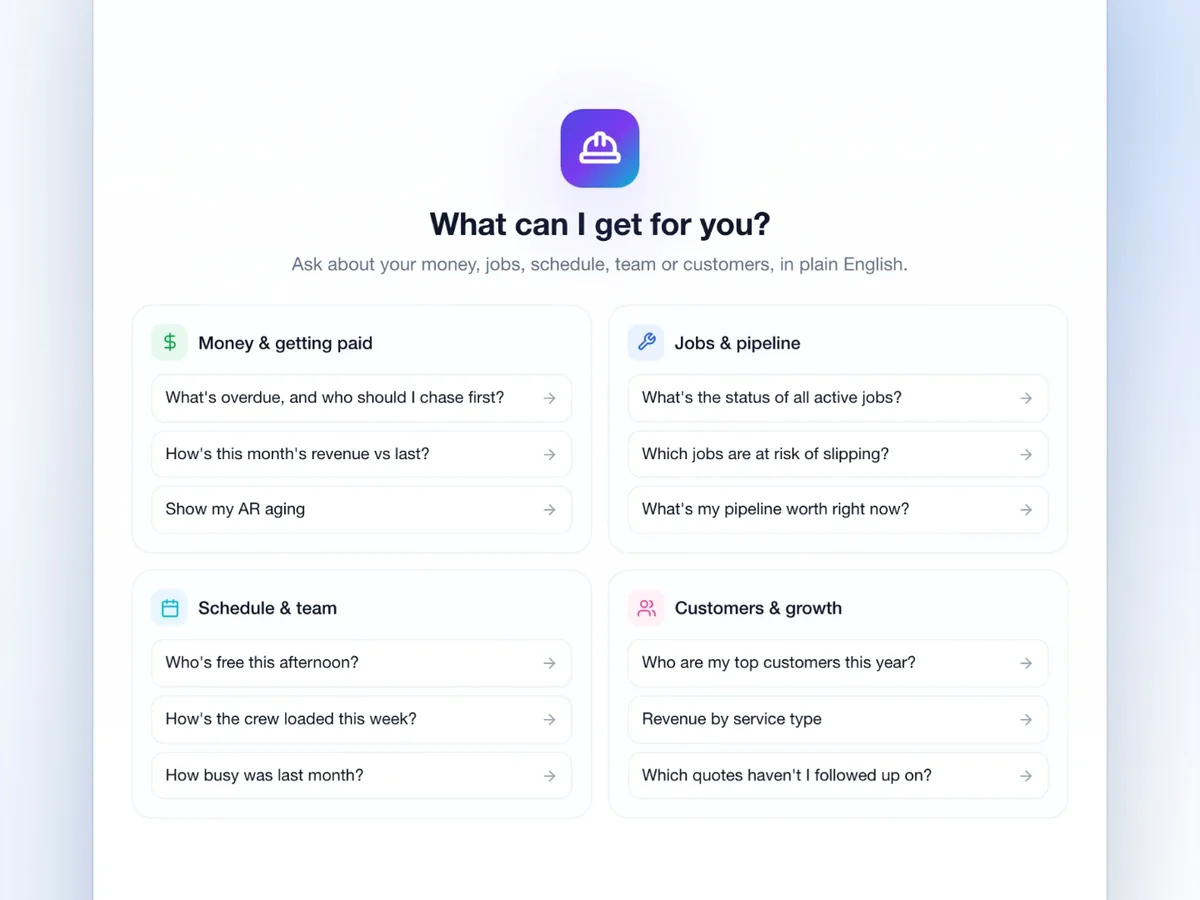
- What's the status of all active jobs?
- Who's free this afternoon?
- Which jobs are at risk of slipping?
 JobsiteOn AI ForemanComing soon
AI ForemanComing soon
Coming soon: job answers, suggested next steps and drafts you review.
Preview what we’re building. Available features are ready to try today.
Illustrative conversation with sample customer and invoice details. AI Foreman is coming soon.
Who needs a payment reminder?
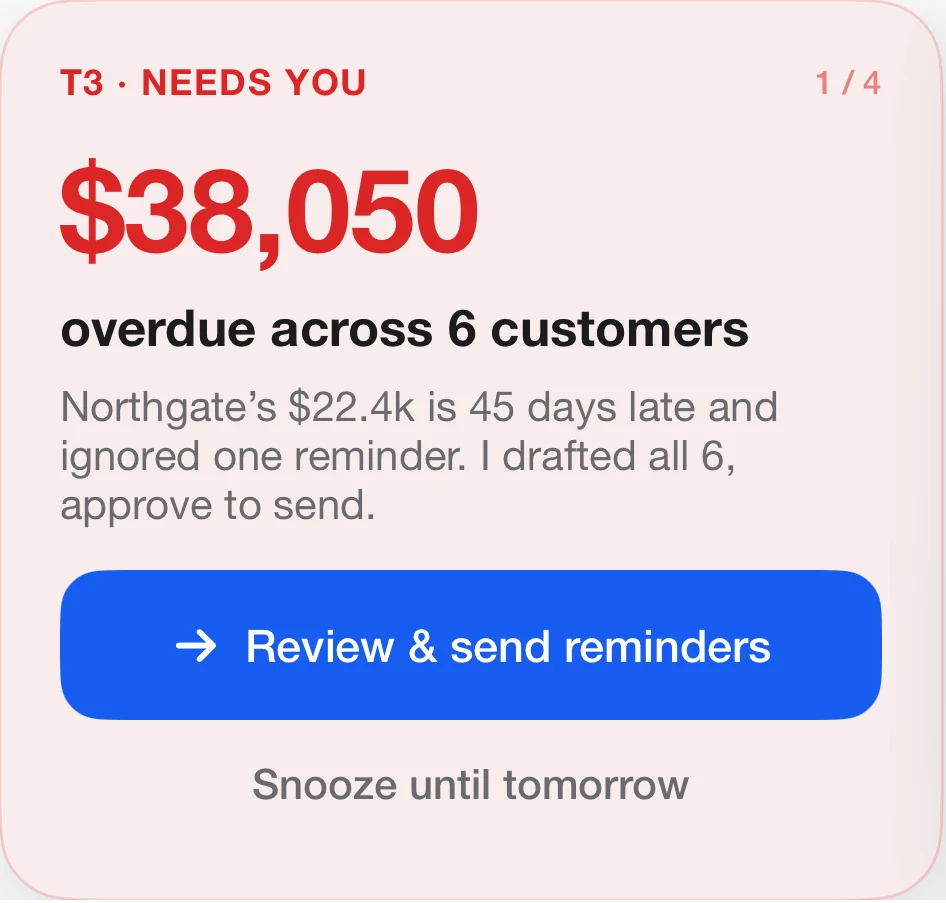
Six customers have overdue invoices totaling $38,050. Northgate has the largest balance.
 Invoice
Here’s a reminder you can review.
To Northgate
Hi, just checking in on your outstanding balance of $22,400. Please let us know when we can expect payment. Thanks!
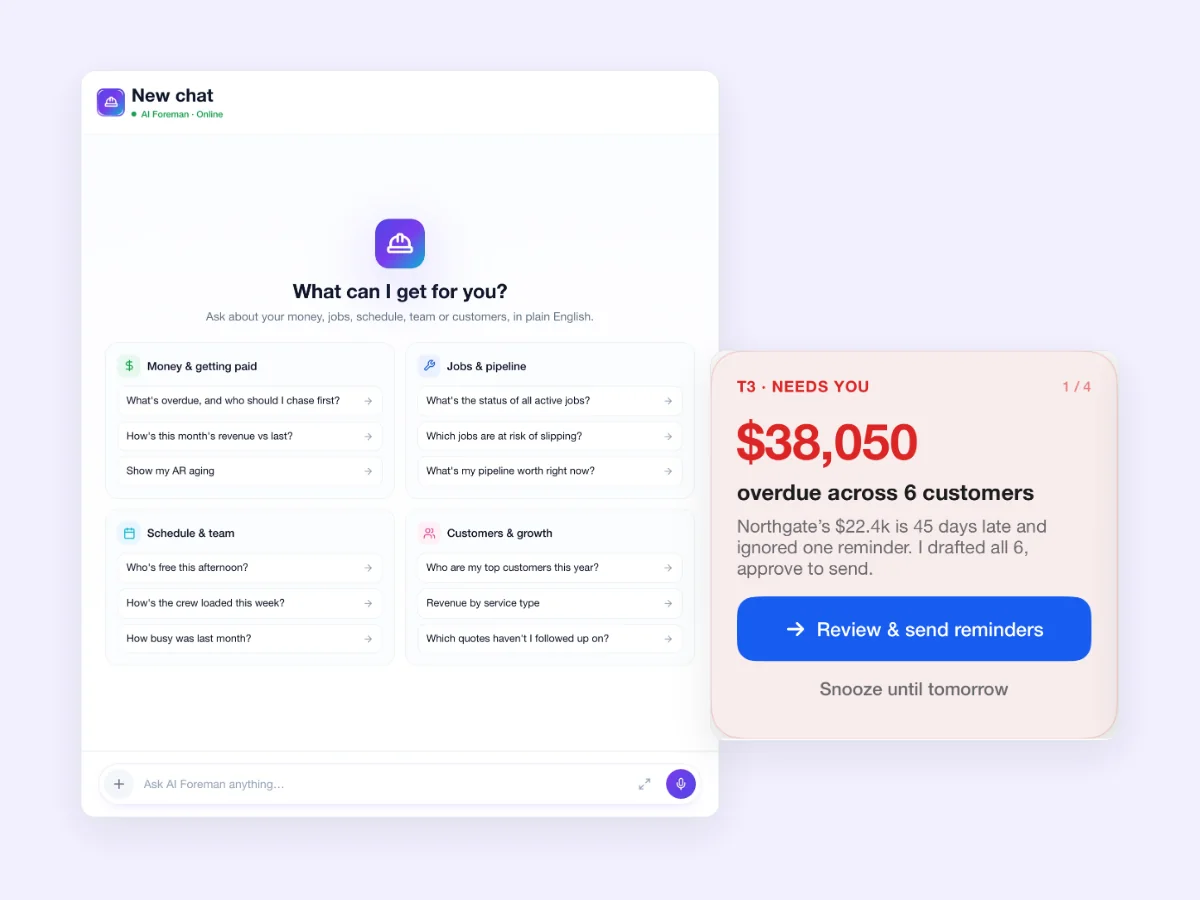
The preview opens with starter questions in four areas. Or type your own, in plain English.

Preview prompts about invoices and payments.

A starting point for work in progress.

See who's free and how full the week is.

Find your best customers and the quotes still waiting on you.
AI Foreman is coming soon. Explore the current preview and the kinds of work it is being built to help with.
The preview offers starting points for jobs, money, schedules and customers.
Review a recommendation before deciding what to do next.
Explore prompts around the work your business handles each day.
The preview keeps review in the flow.
Illustration with sample data. AI Foreman is coming soon.
01AskStart with the work at hand.
Who needs a payment reminder?
02ReviewRead the proposed next step.
03DecideChoose what happens next.
You review. You decide what gets sent.
Scroll, or drag the line. On one side, the questions you chase down by hand. On the other, one place to ask them.
Illustration with sample data. As you scroll, the line moves from the right edge to the left: from questions scattered across spreadsheets, email, texts and notes to one place to ask them. AI Foreman is coming soon.
Ask about the work. Read the suggestion. Decide what happens next.
Start from the work in front of you.
A recommendation card says what needs you and why.
In the preview, drafts wait for your approval.
Connect it to your JobsiteOn workspace with the MCP connector. You check the permissions before you allow it, and changes wait for your approval in JobsiteOn.
See how the connector works
AI Foreman's direction is to help with the admin around the job. Here is what the preview covers today.

The preview shows a place to ask about the work and review a suggested next step.

AI Foreman's direction is to help with the admin around the job. The tools shown here are a preview.
AI Foreman is coming soon. These JobsiteOn tools are ready to use now.
AI Foreman is coming soon. This page shows the current preview. We will share availability as features launch.
The preview shown here centers on questions, suggested actions and drafts for review. Availability and controls will be confirmed as features launch.
Yes. Explore current Sales, Service, Schedule and Payments tools, or talk to our team about your workflow.
It shows a conversational workspace, suggested next steps and drafts to review. AI Foreman is coming soon.
Contact our team to discuss the workflow you need and ask about AI Foreman's current availability plans.