


Reminders on a schedule.
Payment reminders can go out 1, 3 and 7 days after the invoice, by email, text or both.
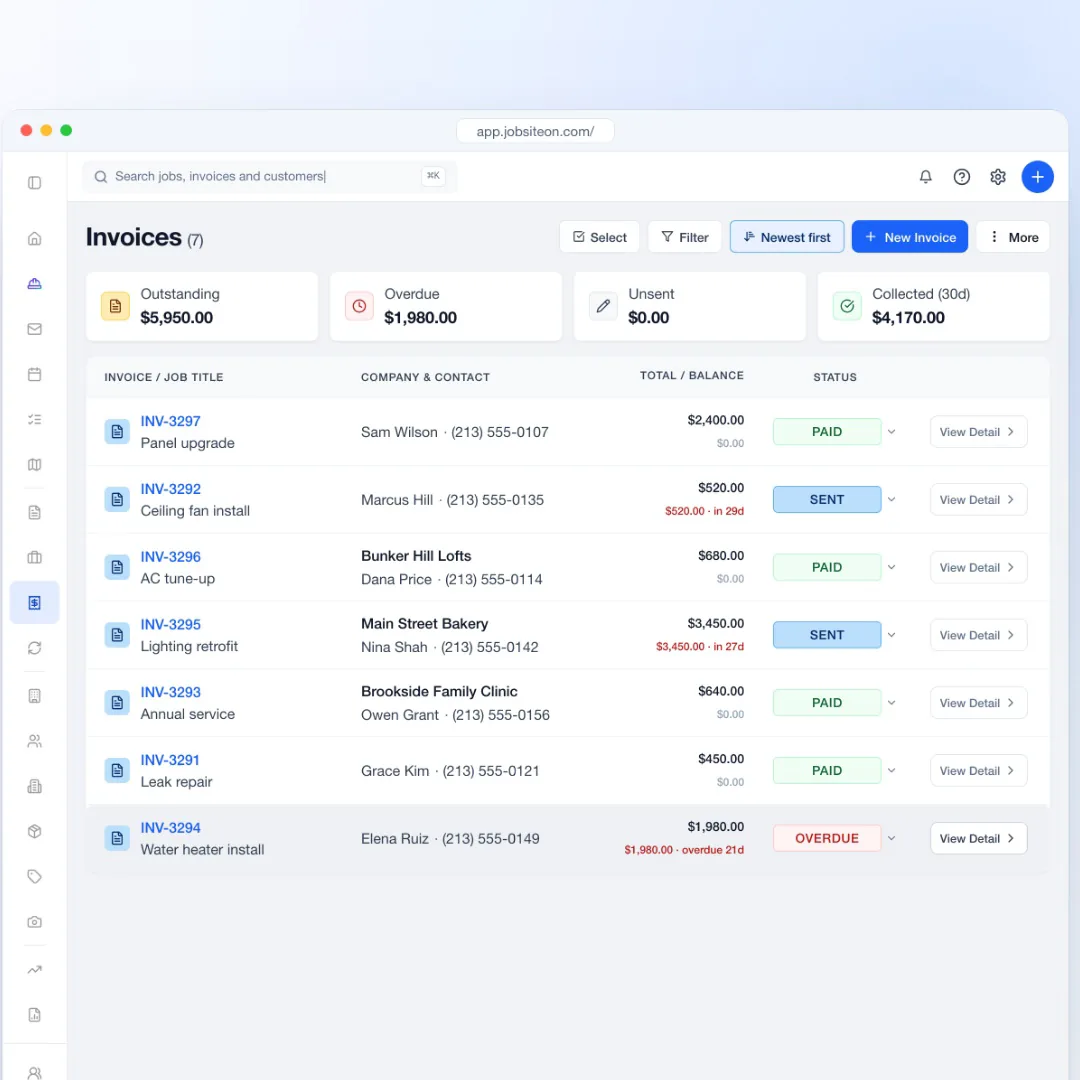
Get paid faster
Send invoices customers pay by link. Record cash and checks too.
Free for 14 days. No credit card required.
See how it works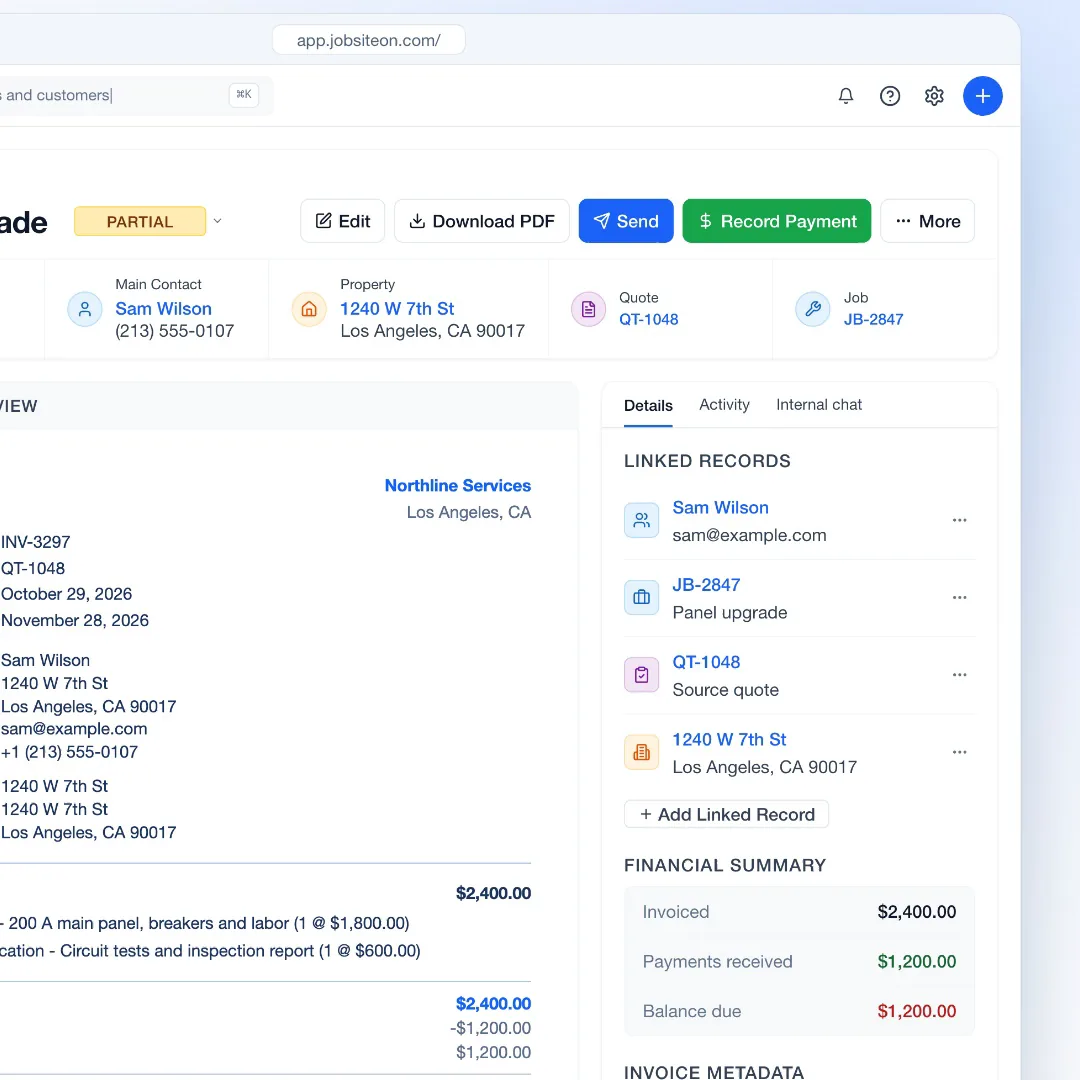
14 days free, with no credit card.
Set up card payments in Settings, under Payments.
Create it from the job and send it by email, with an optional text.
Invoicing
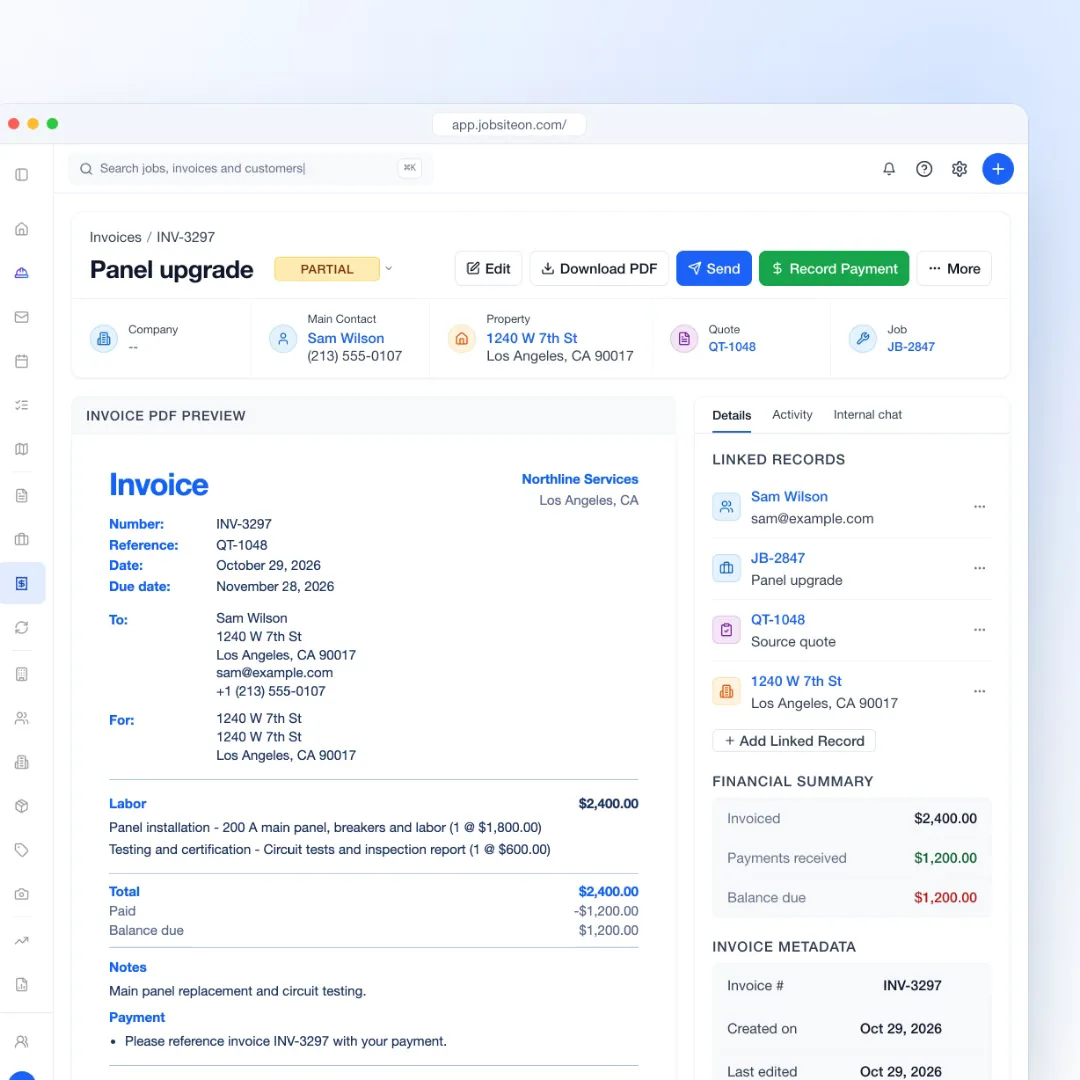
Customers see what they are paying for, and you see what is still due.
Line items, terms and the job's customer and property come with every invoice.
Explore PaymentsRecord card, check or cash payments, including partial ones. The balance updates on the invoice.
Sent, paid, partial and overdue invoices share one list.
Collecting
The invoice does more of the asking, and the books stay current.
Payment reminders can go out 1, 3 and 7 days after the invoice, by email, text or both.
Each job's financial summary shows what was quoted, invoiced and paid, and what is still due.
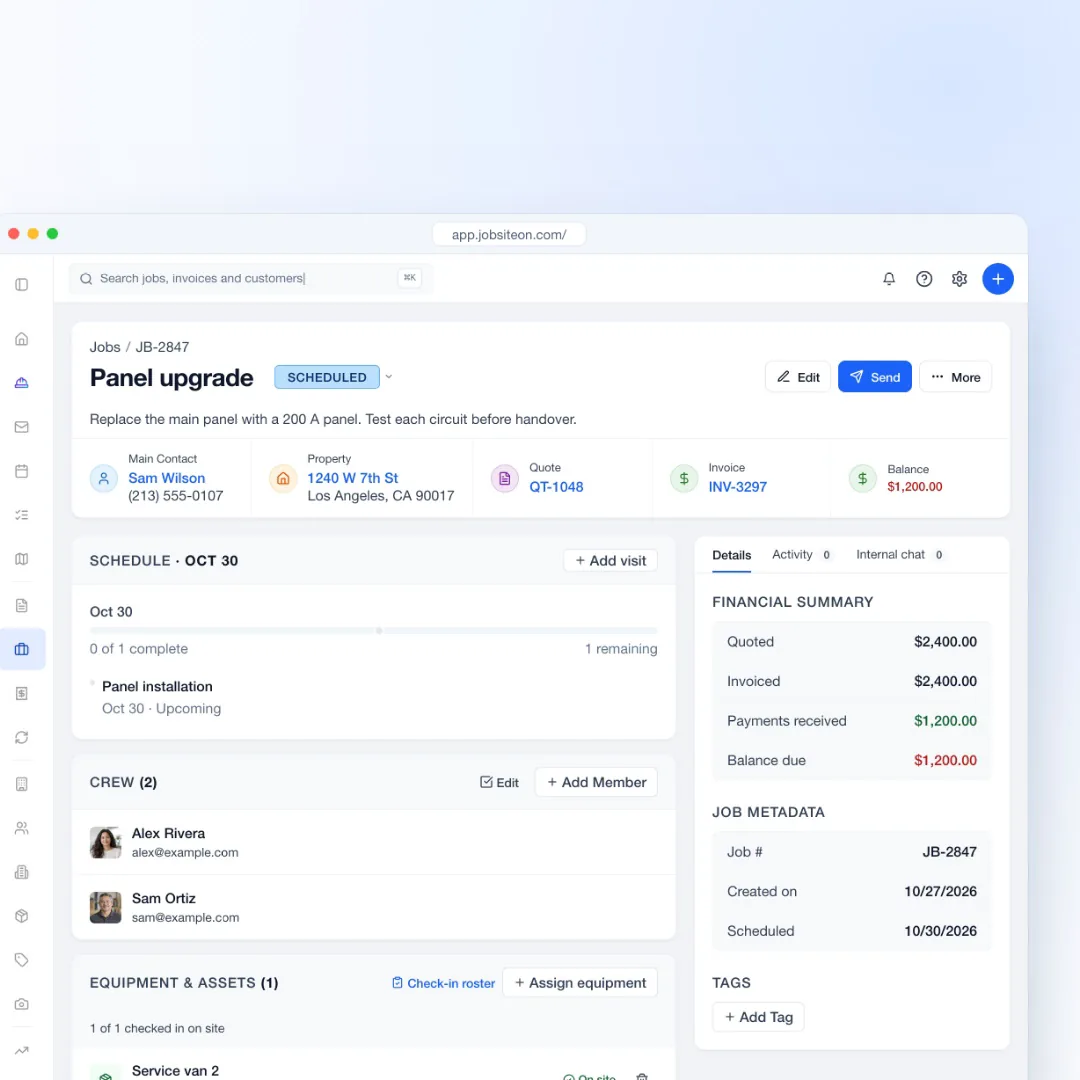

Money on every job
From the first invoice to the last payment, the numbers stay with the work.
Connect payments once in settings. Customers pay by card from the invoice link.
Add late fees to overdue invoices and refund a payment when you need to.
Send an invoice, send a reminder or mark it paid from the app.
Invoice PDFs and the payment page carry your logo and colors.
From the invoice link. Card payments work once payments are connected in settings. Bank payments become available after approval and show as processing until they clear.
Not in the app today. Send the invoice link so the customer can pay on their own phone, or record the payment after you take it another way.
Yes. Record the amount you received. The remaining balance stays on the invoice until it is paid.
Yes, with QuickBooks Online. Invoices go from JobsiteOn to QuickBooks, and customers and payments sync both ways. QuickBooks Desktop is not supported.
Yes. Payment reminders can go out 1, 3 and 7 days after you send the invoice, by email, text or both.
Also see by team size and by trade.
Try JobsiteOn free for 14 days.