


Give every job a clear next step.
Compare the people, visits and details behind a job. See how FieldPulse and JobsiteOn support your office-to-field handoff.
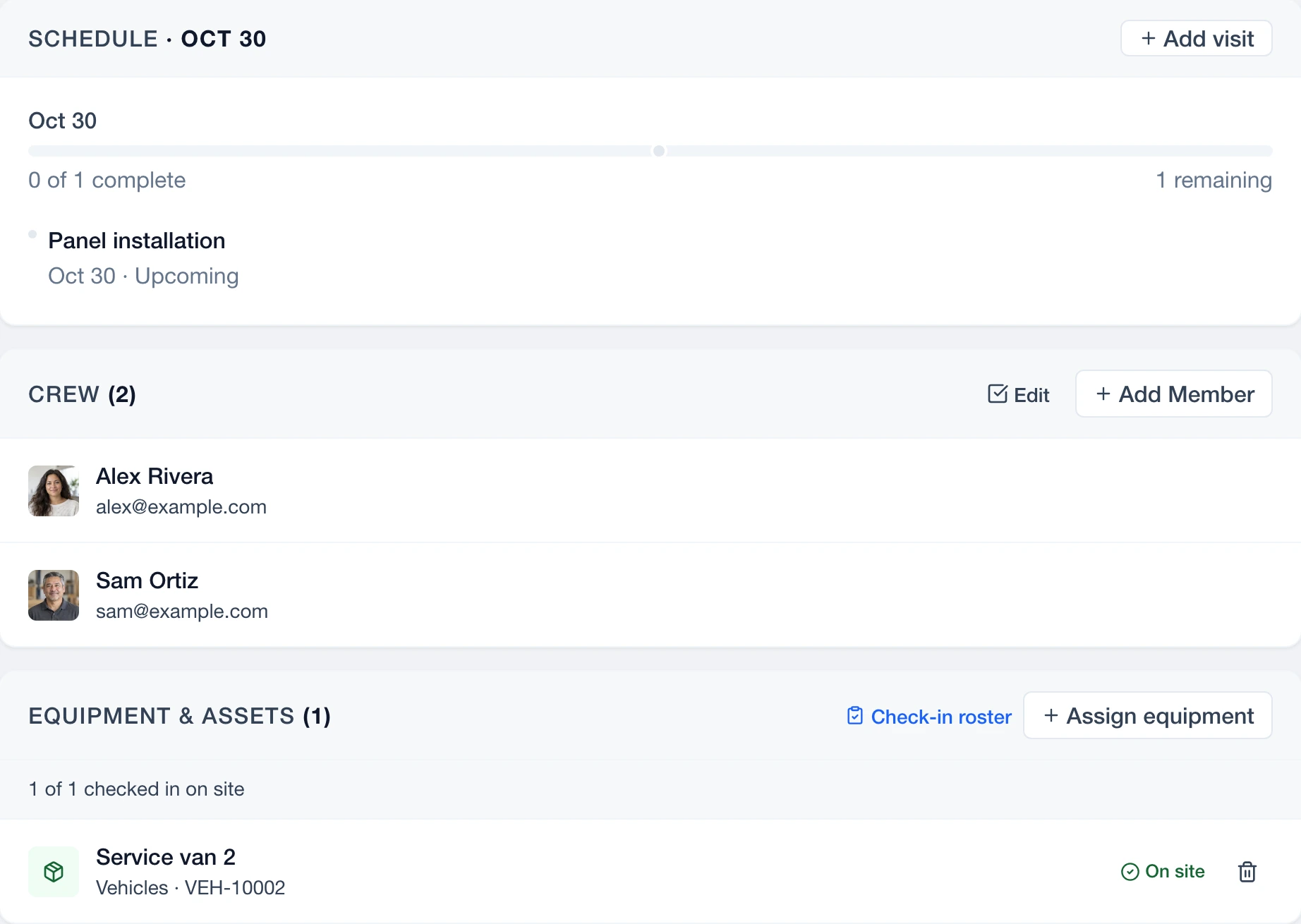
The job record is where work meets.
 Enlarge
Actual JobsiteOn app capture with sample records. Product panel shown.
Explore Service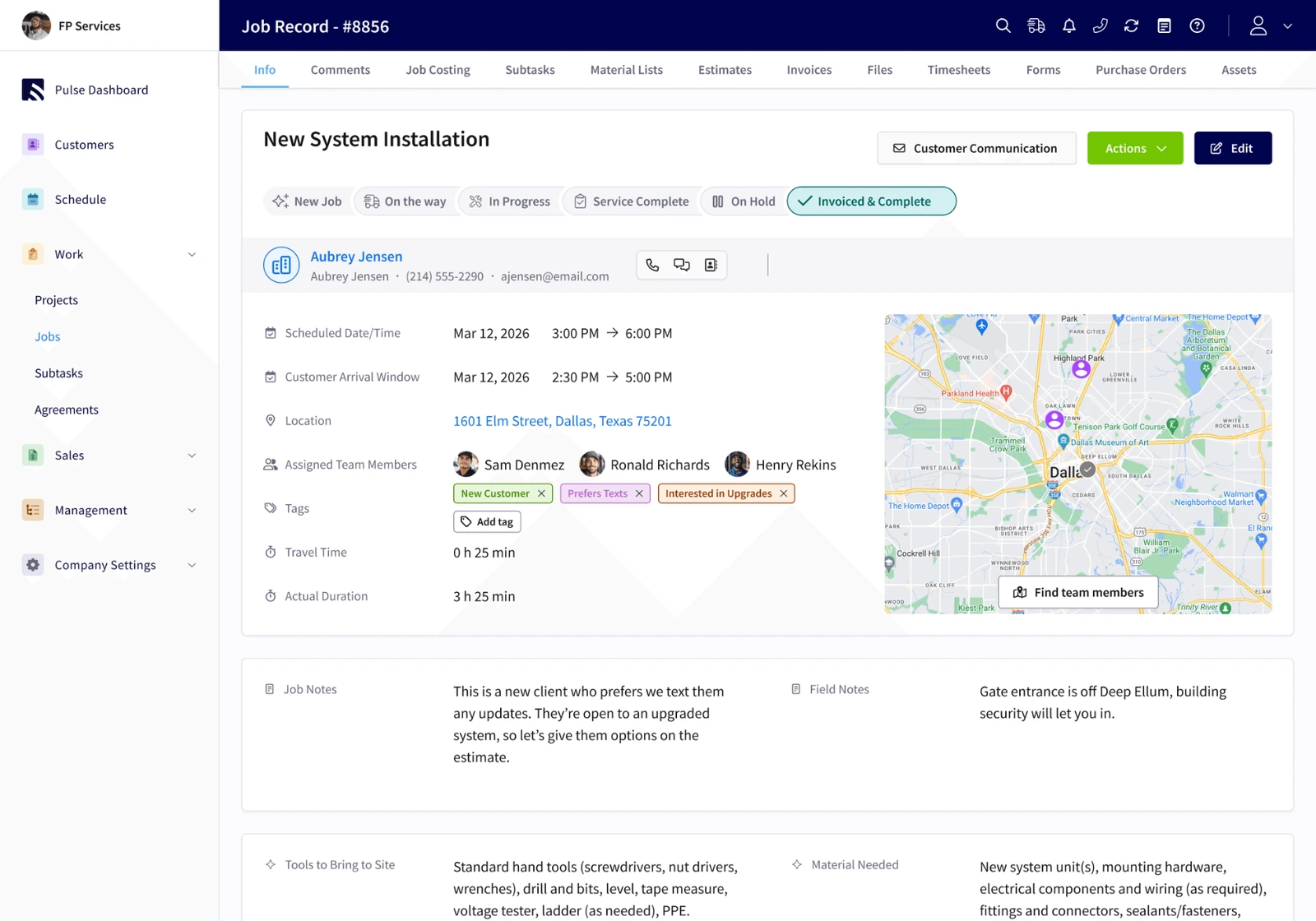 Enlarge
FieldPulse’s published job-management screen for a system installation, including status, team and job details.
View the original sourceLook for the assigned people, the next appointment and the information someone needs on site. These are different views, so open both before comparing the detail.
Vendor-published views, captured November 2, 2026. Sample data and screen scope differ. Open either image to inspect it; appearance and availability can vary by release.
The right fit for your day.
Choose around the work your team repeats. These are starting points for your evaluation, not a universal ranking.
You want the whole job in view.
Try JobsiteOn when you want quotes, visits, crew assignments, job evidence and payments to form a clear path through each piece of work.
Check included productsJob management & teams.
Shortlist FieldPulse for a broad field-service platform with scheduling, job management and optional products such as Engage, fleet tracking and custom forms.
Read FieldPulse’s product detailsCompare the work, step by step.
Both products have useful capabilities. Read the details, check the source and try the task that matters to you.
The job record
Try thisGive a colleague the job and ask them to explain what happens next.
Service brings the visit, crew, equipment and job details into the work record.
Product detailsJob records organize status, scheduled times, assigned team members and work notes.
Vendor source: FieldPulse: job management and platform overviewScheduling and dispatch
Try thisMove a multi-person visit and check everyone’s resulting workload.
Schedule shows the calendar; Dispatch adds a shared crew board on Team and higher plans.
Product detailsDrag-and-drop scheduling, multi-team views and real-time schedule updates are documented features.
Vendor source: FieldPulse: scheduling and dispatchingField context
Try thisAdd a photo in the field, then locate it from the office’s job view.
Capture keeps job photos and videos alongside the work record.
Product detailsJob notes, photos and schedule details support the field handoff.
Vendor source: FieldPulse: scheduling and dispatchingCalls and messages
Try thisSpecify the numbers, users and channels you need before comparing communication costs.
Communications and Connect bring conversations into the work context. Check the product pages for supported channels.
Product detailsEngage is a premium product for business phone and customer communication workflows.
Vendor source: FieldPulse: pricing and premium productsBuying the right scope
Try thisPut required forms, fleet tools, phone features and onboarding in the written quote.
Published plans include user and job allowances, with Capture, Dispatch and Assets from Team.
Product detailsPricing is tailored to users and requirements, with separately listed premium products.
Vendor source: FieldPulse: pricing and premium productsBuild a job record people can use.
In JobsiteOn, try the job from both sides: the person planning it and the person doing it. The details should still make sense after the handoff.
- 01
Set the scope
Start with the customer, property and agreed work.
Explore sales - 02
Plan the resources
Assign the crew and track the equipment on the job.
Explore service - 03
Keep the field record
Add the photos and notes that explain what happened.
Explore capture - 04
Complete the billing
Keep the invoice and payment connected to the work.
Explore payments
Product availability depends on your plan. See plans, user limits and job allowances.
Price the way you work.
FieldPulse offers tailored pricing and lists premium products separately. Ask for the full combination you need, including users and rollout support. Compare that offer with JobsiteOn’s published plan allowances and any tools you would retain.
JobsiteOn, billed monthly
- Starter
- $29/month
- Team
- $99/month
USD. User and job allowances apply. Capture and Dispatch start at Team.
Ask before you commit
- Which users and job-management features are in the core subscription?
- Do Engage, fleet tracking, price books or custom forms add to the price?
- What is included in onboarding, support and the contract term?
Compare the same users and billing term. Confirm taxes, processing fees, add-ons and contract conditions.
Give both products the same test.
Use a real job and involve the people who do the work. Check each step when you have tried it in both products, then take the checklist with you.
Start Free TrialA few useful answers.
Does FieldPulse include scheduling and job photos?
Yes. FieldPulse documents scheduling, dispatch and field job context, including notes and photos. Evaluate how those features fit your workflow rather than treating them as absent.
Is FieldPulse Engage part of every plan?
FieldPulse lists Engage among its premium products. Ask for its scope and cost in your written quote, including phone numbers and users, before comparing it with another communication setup.
What is a useful first test in JobsiteOn?
Create one job, assign a visit and crew, add field photos and find the billing record. Include a real office-to-field handoff and check any equipment or integration requirements before moving your team.
Sources you can check.
Written by JobsiteOn using its product documentation and the official vendor pages linked here. Reviewed November 2, 2026. This is a product guide, not an independent benchmark or a claim that one tool suits every team.
Screenshots preserve the published interface and original annotations. Capture dates do not establish release versions. Third-party names and images belong to their owners; no affiliation or endorsement is implied.
Screenshot credits and capture methodPut JobsiteOn to work.
Bring a real quote, a real visit and the people doing the work. See how it fits your day.