


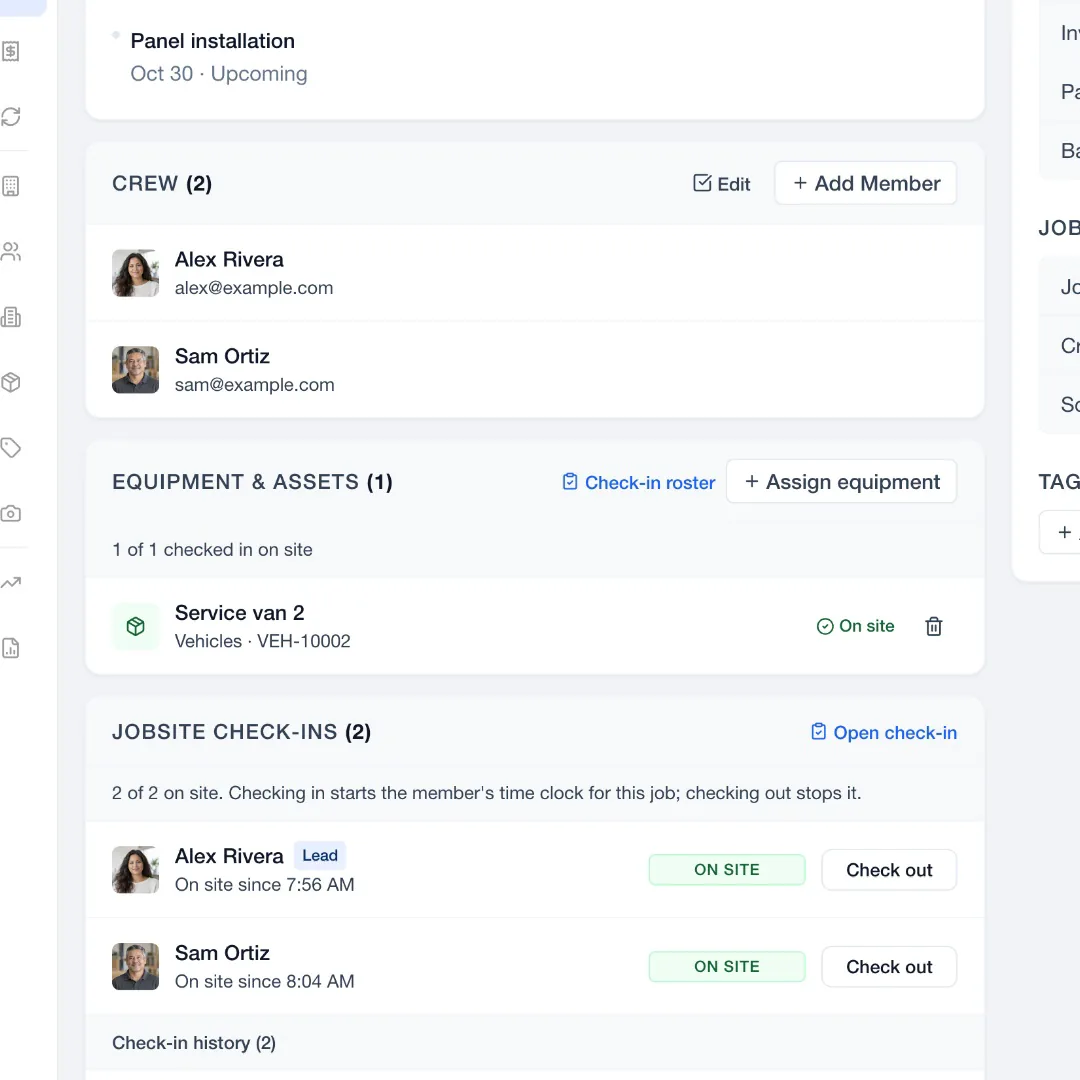
Check-ins as the crew arrives.
Crew members check in by QR code or by hand, and the job shows who is on site.
Assign jobs instantly
See each person’s day, find an opening and assign the visit.
Free for 14 days. No credit card required.
See how it works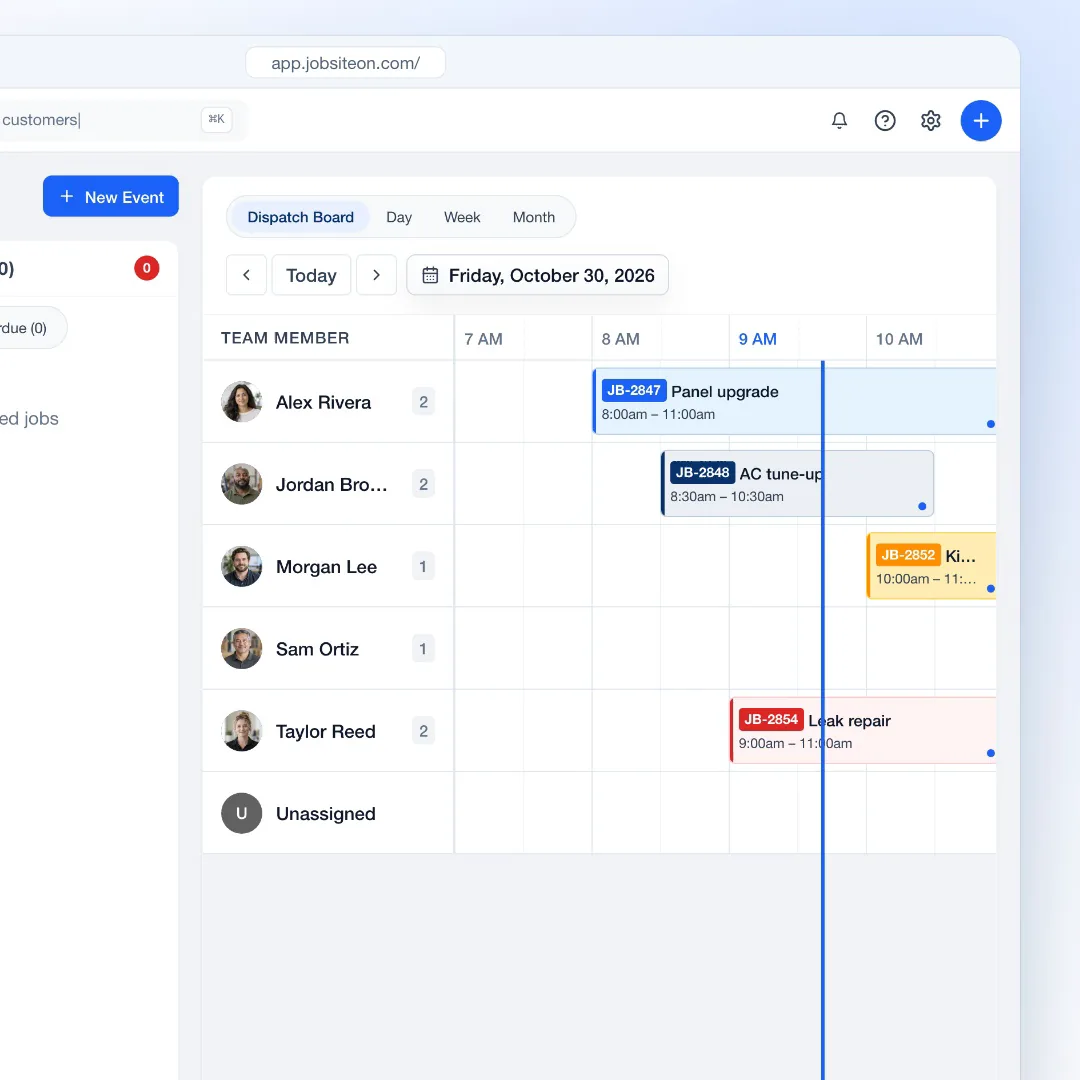
14 days free, with no credit card.
Add each person as a technician, a manager or an admin.
Open the dispatch board and assign the first visits.
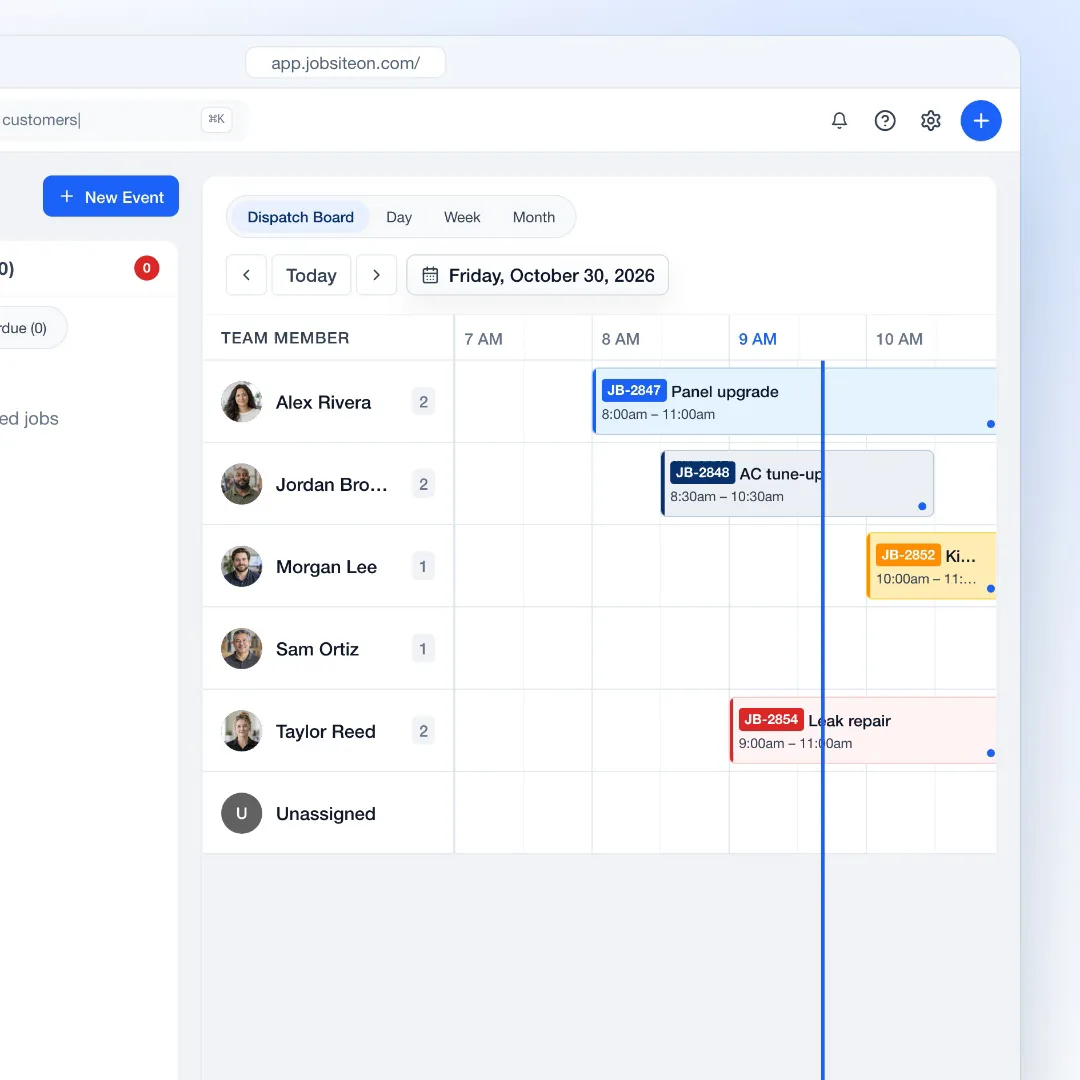
Dispatch board
Compare assignments across the team before you commit to a time.
Each team member gets a timeline. Visits show the job number, the title and the time.
Explore DispatchCreate the event, set the date and time, and pick who goes, without leaving the board.
Switch to Day, Week or Month to see how the work is spread.
Behind each assignment
Open the job to see who arrived and what equipment went with them.
Crew members check in by QR code or by hand, and the job shows who is on site.
Assets lists equipment and vehicles with the job each one is on. Team plan and up.
Explore Assets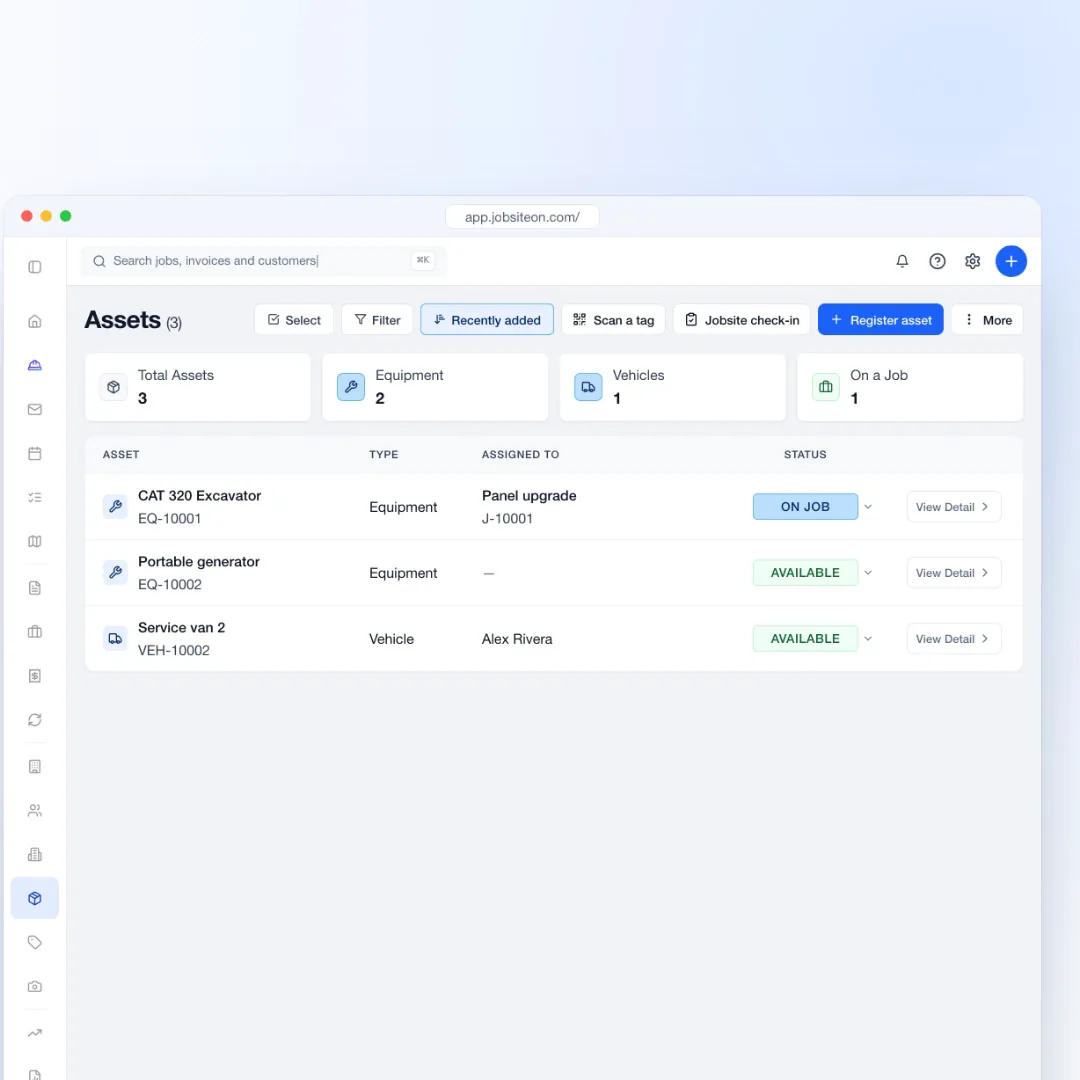

On the road
Dispatch works on the web and in the iPhone and iPad app.
Open the dispatch board and the day view from the app.
Group people into a team for each crew.
Clock in and out against the job from the field.
The dispatch board comes with Team, Business and Enterprise.
Yes. Dispatch Board is a schedule view organized by team member, next to Day, Week and Month.
Yes. Update the event's people and time from the schedule. The job and event details stay one click away.
No. You choose the person and the time. The board and the unassigned panel make it quick to see where the work fits.
Dispatch starts on the Team plan, $99 a month for up to 10 users. Starter has the Day, Week and Month calendar without the dispatch board.
Yes. The iPhone and iPad app has the day view and the dispatch board.
Also see by team size and by trade.
Try Dispatch free for 14 days.