


The quote is just the start.
Both products help you quote and invoice. See how YourTradebase and JobsiteOn carry the details into the crew’s next visit.
Start with a quote you would send.
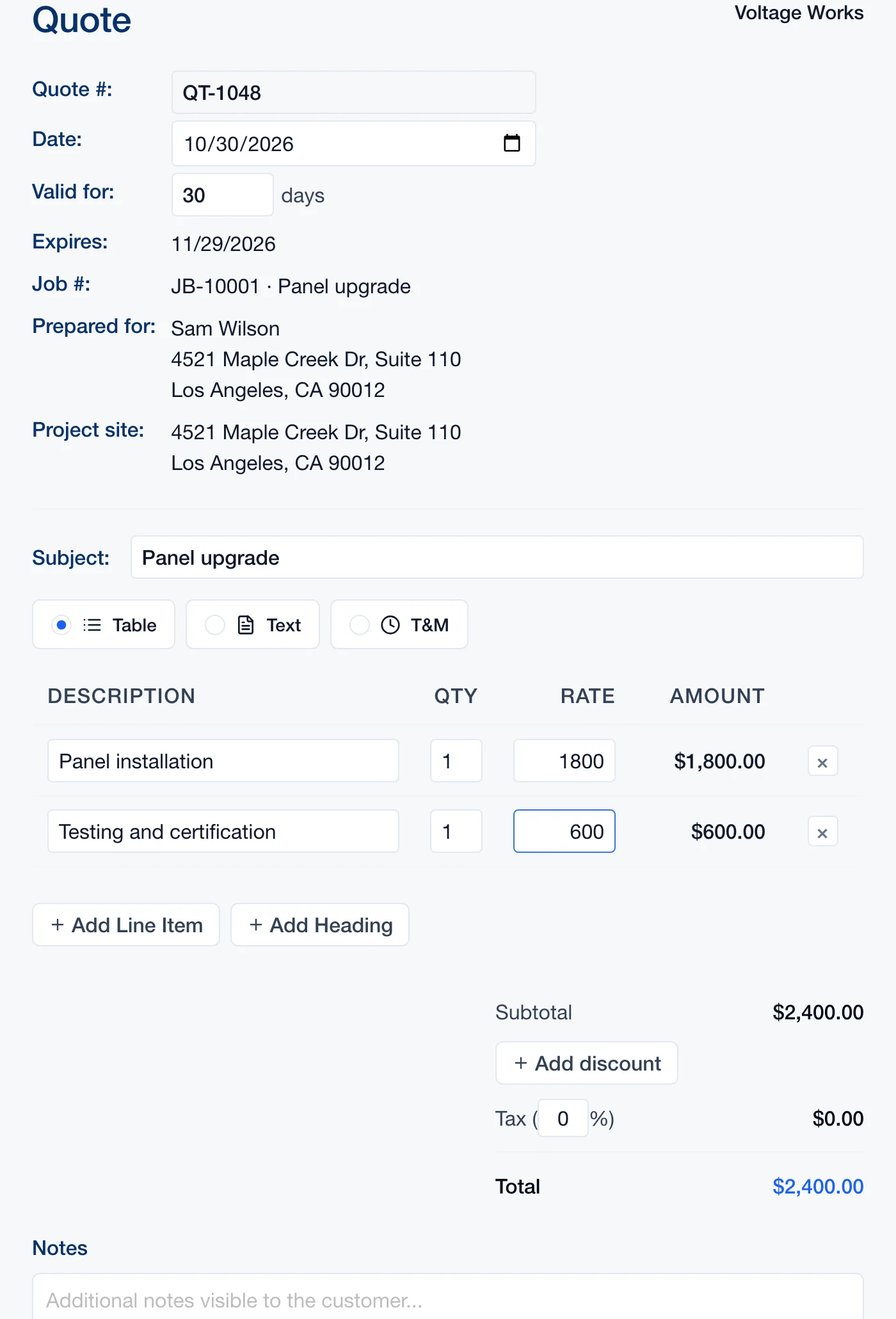 Enlarge
Actual JobsiteOn app capture with sample records. Product panel shown.
Explore Sales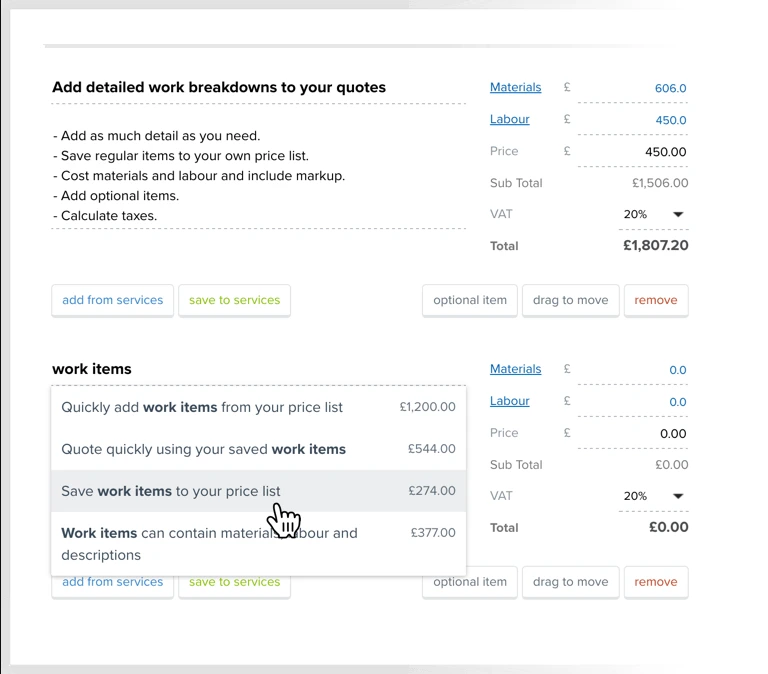 Enlarge
YourTradebase’s published quote editor showing work-item pricing and the saved-items control.
View the original sourceLook at the work description, item costs and customer details. Then test how an accepted quote connects to the next visit and invoice.
Vendor-published views, captured November 2, 2026. Sample data and screen scope differ. Open either image to inspect it; appearance and availability can vary by release.
The right fit for your day.
Choose around the work your team repeats. These are starting points for your evaluation, not a universal ranking.
You want the whole job in view.
Try JobsiteOn when your quote needs to stay close to site photos, crew assignments, equipment and the job’s payment record.
Check included productsQuoting & job paperwork.
Shortlist YourTradebase when quoting, job scheduling and invoicing are your main priorities. Its quote tools include reusable work items, materials, labour and markup.
Read YourTradebase’s product detailsCompare the work, step by step.
Both products have useful capabilities. Read the details, check the source and try the task that matters to you.
Building a quote
Try thisQuote one familiar job. Revise a line item and inspect the customer-facing document.
Create a quote with line items, quantities, rates and totals, linked to the customer and job.
Product detailsBuild quotes with saved work items, materials, labour and markup.
Vendor source: YourTradebase: quoting softwareGetting work on the calendar
Try thisTurn an accepted quote into a booked visit without retyping the scope.
Schedule the visit and use Dispatch when you need a crew assignment board.
Product detailsJob scheduling is part of the product, with work and team scheduling tools.
Vendor source: YourTradebase: job schedulingInvoicing the job
Try thisInvoice part of the job, then check what remains to be billed.
Keep invoices and payments alongside your customer and work records.
Product detailsCreate a job invoice from the quote, a percentage, selected items or the remaining balance.
Vendor source: YourTradebase: create an invoice for a jobFollowing up
Try thisFind the quote, the last customer reply and the next action in each product.
Communications brings customer conversations together with work context.
Product detailsMessages can be scheduled for later, including supported email and SMS workflows.
Vendor source: YourTradebase: schedule messages to send laterTeam cost
Try thisCompare the same number of users and billing term in the same currency.
Plans publish included user and job allowances. Capture, Dispatch and Assets start at Team.
Product detailsPublished pricing is in GBP, with an additional-user charge and VAT excluded.
Vendor source: YourTradebase: current pricingCarry the scope into the field.
A useful quote should still be useful when the crew arrives. In JobsiteOn, try moving from the agreed work to the visit, job evidence and payment record.
- 01
Write the scope
Put the work and price on the quote.
Explore sales - 02
Book the visit
Choose a time and see the rest of the week.
Explore schedule - 03
Keep the job context
Give the crew the job details and a place for photos.
Explore service - 04
Send the invoice
Return to the work record when billing the customer.
Explore payments
Product availability depends on your plan. See plans, user limits and job allowances.
Price the way you work.
YourTradebase publishes a base subscription plus additional users in GBP, excluding VAT. JobsiteOn lists USD plans with included user allowances. Compare the full team cost, currency, tax and billing term before drawing a price conclusion.
JobsiteOn, billed monthly
- Starter
- $29/month
- Team
- $99/month
USD. User and job allowances apply. Capture and Dispatch start at Team.
Ask before you commit
- Who needs an account: the owner, office and field crew?
- Are you comparing monthly billing with monthly billing?
- Will photo storage or crew dispatch require another subscription?
Compare the same users and billing term. Confirm taxes, processing fees, add-ons and contract conditions.
Give both products the same test.
Use a real job and involve the people who do the work. Check each step when you have tried it in both products, then take the checklist with you.
Start Free TrialA few useful answers.
Does YourTradebase include scheduling and invoicing?
Yes. YourTradebase documents job scheduling and several ways to invoice a job. The useful comparison is how each product handles your complete workflow, not whether YourTradebase is only a quote builder.
How should I compare the prices?
YourTradebase publishes GBP pricing with additional-user charges and VAT excluded. JobsiteOn publishes USD plans with user allowances. Match the team size, currency, tax treatment and billing term, and include any other tools you would keep.
What should I test before switching?
Create a quote, book its visit, give the job to a crew member and invoice the work. Then verify customer and document exports before deciding how to move existing records.
Sources you can check.
Written by JobsiteOn using its product documentation and the official vendor pages linked here. Reviewed November 2, 2026. This is a product guide, not an independent benchmark or a claim that one tool suits every team.
Screenshots preserve the published interface and original annotations. Capture dates do not establish release versions. Third-party names and images belong to their owners; no affiliation or endorsement is implied.
Screenshot credits and capture methodPut JobsiteOn to work.
Bring a real quote, a real visit and the people doing the work. See how it fits your day.