


The job already has the details.
Customer, property, quote and invoice sit across the top of the job, with the crew and visits below.
See job management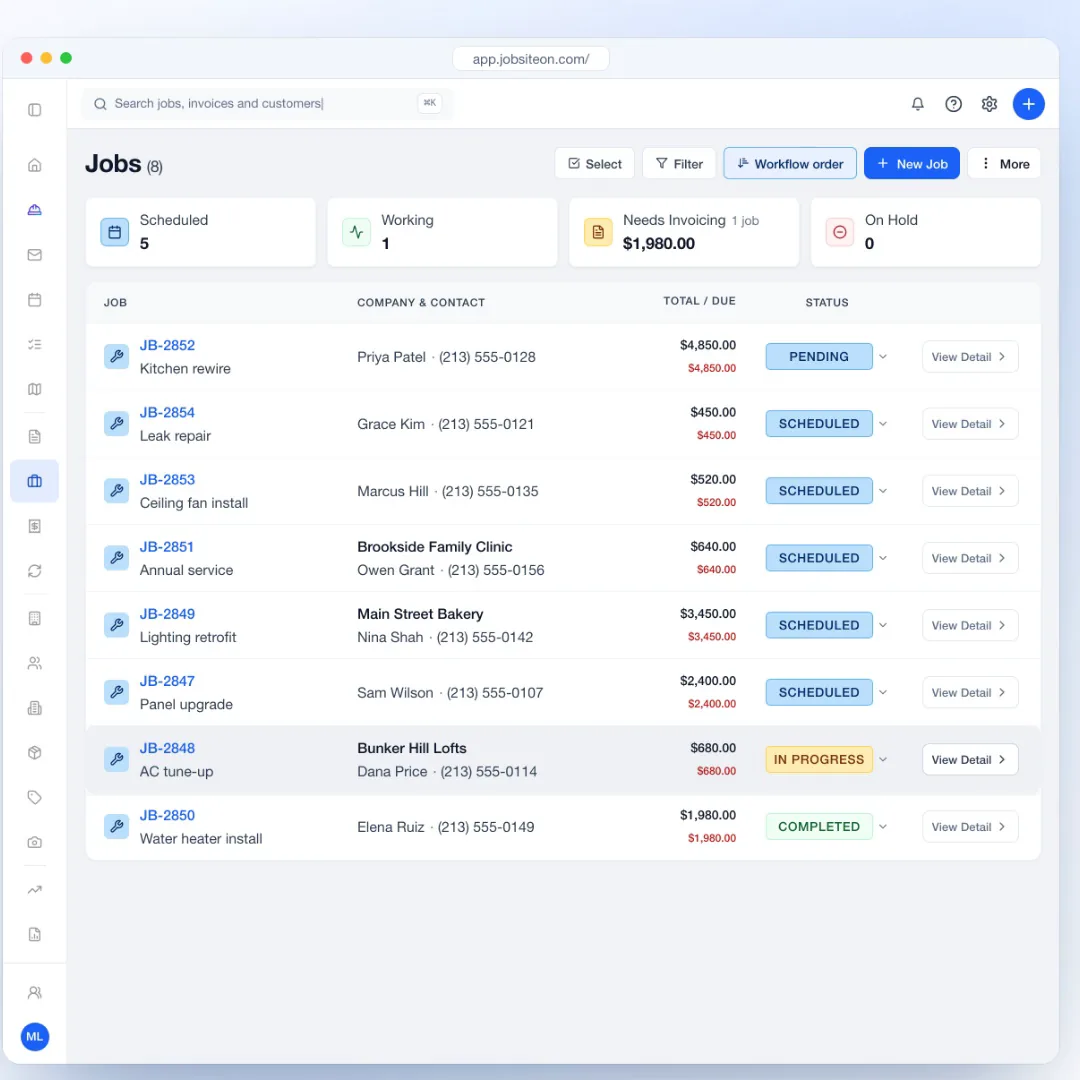
Generate quotes faster
Build quotes from saved prices. Customers approve and sign online.
Free for 14 days. No credit card required.
See how it works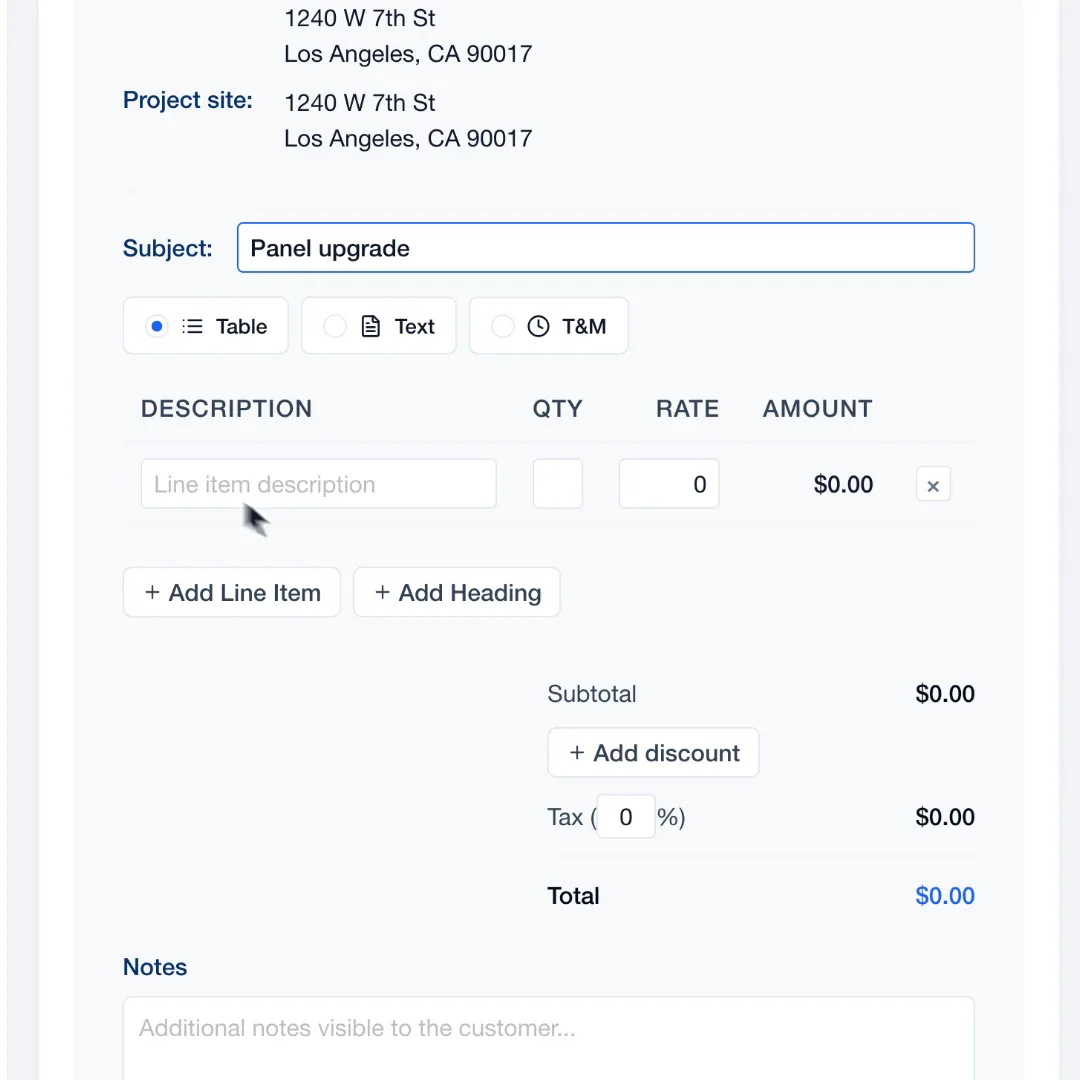
Sign up in a few minutes. You get 14 days free, with no credit card.
Add pricebook items, or import them from a spreadsheet or another tool's export.
Pick the customer and property, add the work and send the quote.
From estimate to yes
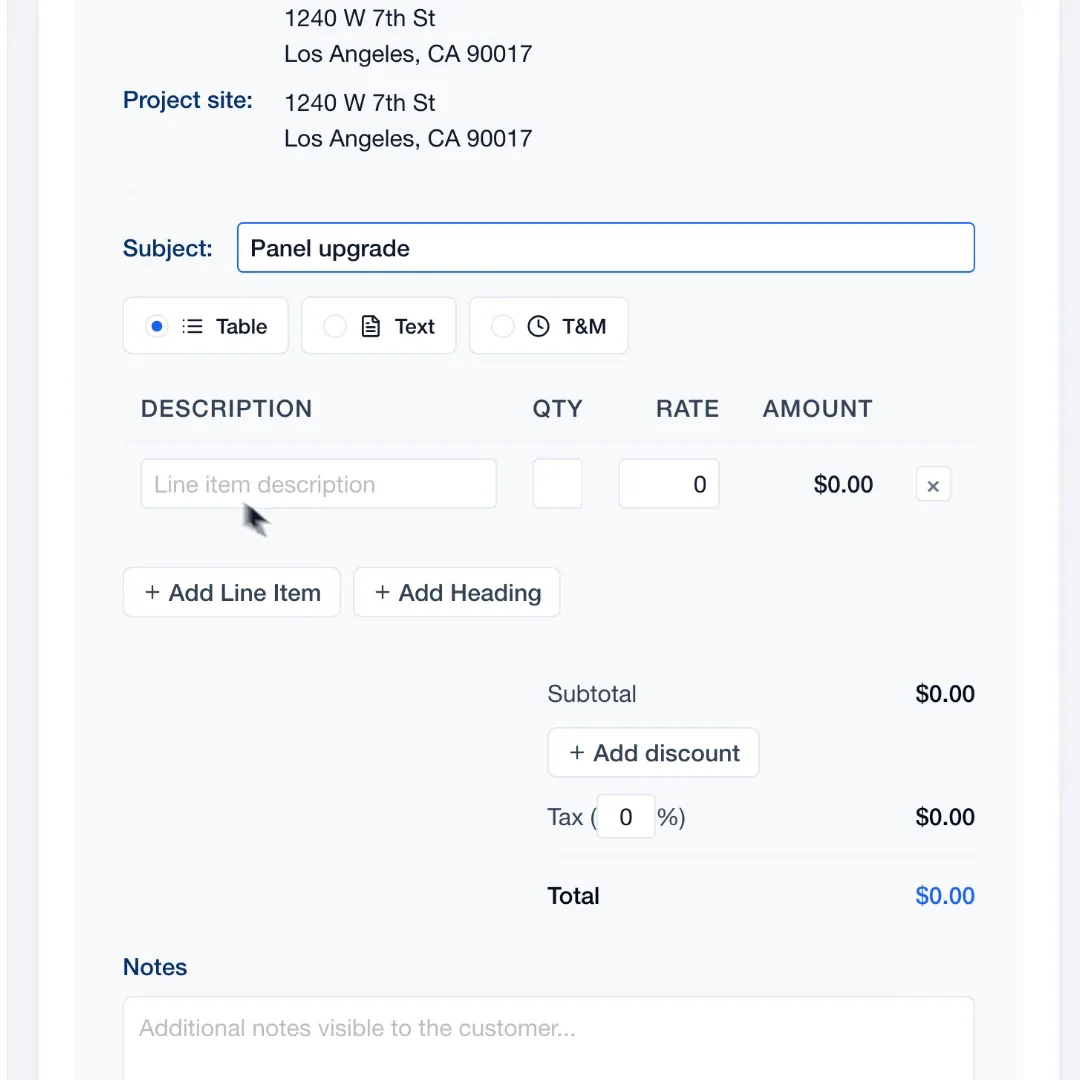
Line items, rates and terms stay together, so the price you send is the price you meant.
Type a description and a rate, or pull saved items from your pricebook. The total updates as you go.
Explore SalesThe quote link opens on any phone. The customer reads it, types their name, signs and approves, or declines.
Drafts, sent and accepted quotes share one list. Set up follow-ups and JobsiteOn sends them 2, 5 and 10 days after the quote, by email, text or both.
After the yes
Every quote belongs to a job, so nothing gets typed twice when the work is booked.
Customer, property, quote and invoice sit across the top of the job, with the crew and visits below.
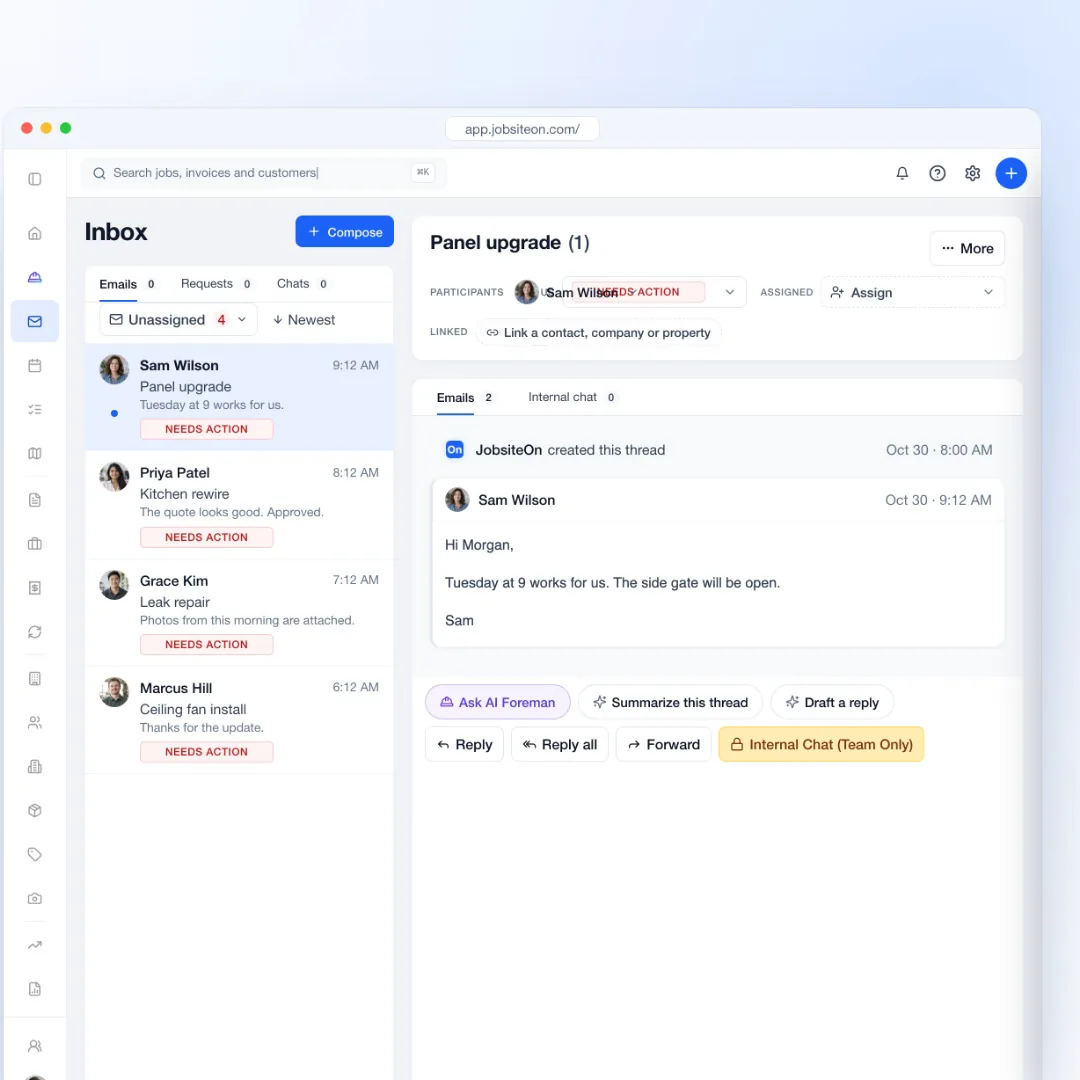
See job managementConnect Gmail or Outlook and answer the customer from the shared inbox, with the thread linked to the job.

In the office or on site
The same quotes live on the web and in the iPhone and iPad app.
Create a quote, add line items, send it and open the PDF from the app.
Branding shows on quote PDFs, customer emails and the pages customers open.
Customers can download the proposal from the quote link.
Follow-ups hold between 9 PM and 8 AM, so nobody gets a text at midnight.
Yes. The quote link lets the customer review it, download the PDF, and approve with their typed name and a drawn signature, or decline.
Yes. Add services, labor rates, parts and fees to your pricebook, then pull them into any quote and adjust quantities and rates.
They can. Set up follow-ups in message settings and JobsiteOn sends them 2, 5 and 10 days after the quote by email, text or both, outside quiet hours (9 PM to 8 AM).
Every quote belongs to a job. Open the job to confirm the visit and the crew, then invoice from it when the work is done.
Yes. The iPhone and iPad app creates quotes with line items, sends them and opens the PDF.
Yes. The import wizard reads CSV and Excel files, including quotes, customers, properties and pricebook items exported from other tools.
Also see by team size and by trade.
Try quoting in JobsiteOn free for 14 days.